







App

The Apollo Group TV App

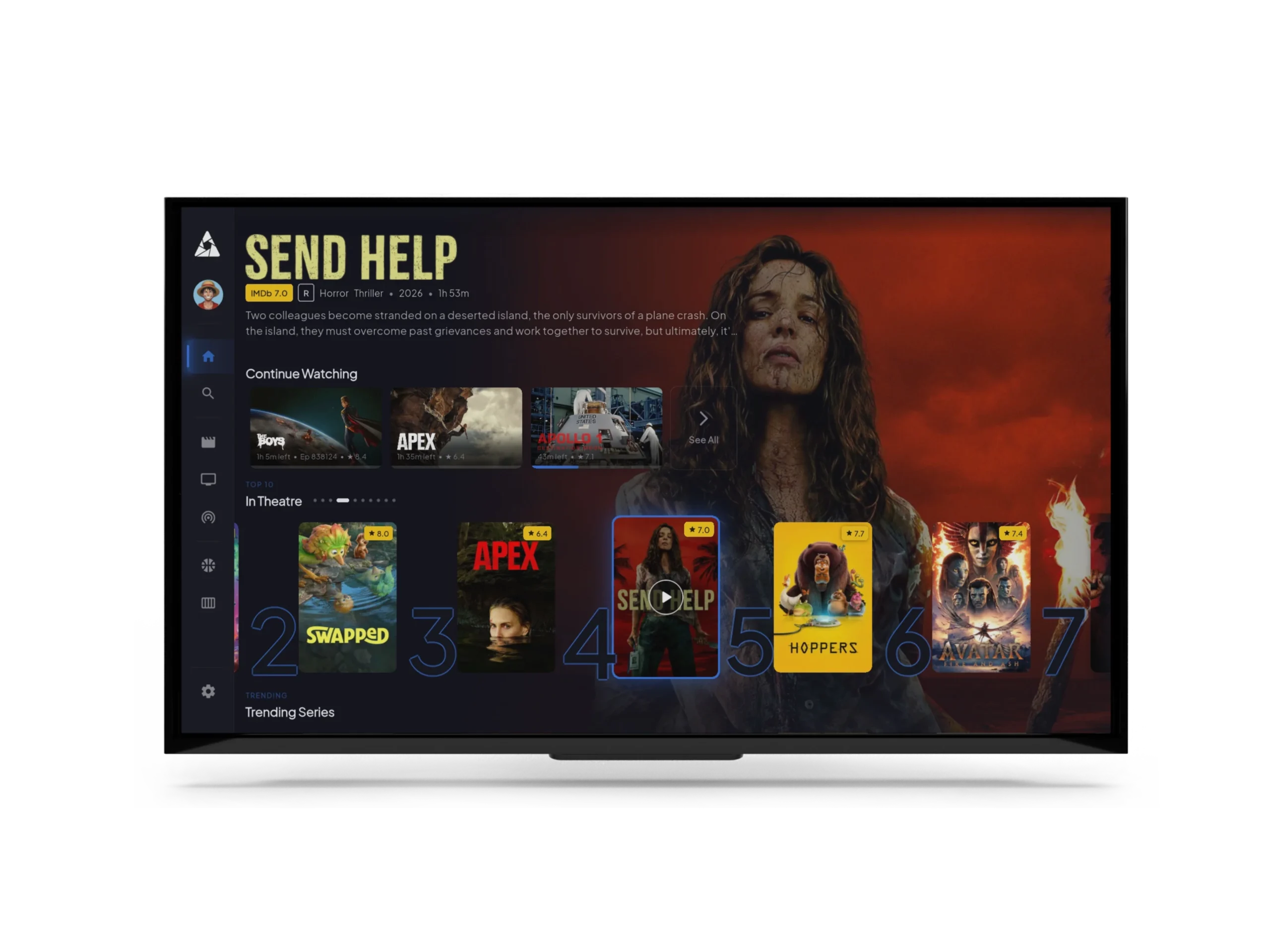
The Apollo Group TV app one for every screen

22,000+ live channels and 90,000+ movies, on Firestick, Smart TV, iPhone, Android, and every other device you own. Same EPG, same VOD library, same five simultaneous streams.

APOLLO GROUP TV

Compatible with

Version

V 4.0

Updated

May 2026

Downloads

100K+

Size

~48 MB

Rating

4.7 / 5

Age

Everyone

Why this app

Four things the cheap IPTV apps don’t do

If you’ve used a couple of IPTV apps before, you know they range from “barely works” to “clearly built in a weekend by one person.” The work that goes into making one that actually feels fast is invisible — until you switch to one that doesn’t.


EPG that loads in 2 seconds

Most IPTV guides take 30+ seconds on first open. Ours is pre-rendered server-side and cached on the device. After first launch, it's instant.

~600ms anti-freeze fail-over

When an upstream broadcast feed dies, the player switches to a backup source in under a second. You see a brief flash, not a 30-second buffer.

Five devices, no throttle

Real five simultaneous streams per account. Separate profiles per device so kids' content stays separate from adult lineups, with parental controls.

Catchup TV — last 7 days

Most IPTV guides take 30+ seconds on first open. Ours is pre-rendered server-side and cached on the device. After first launch, it's instant.​

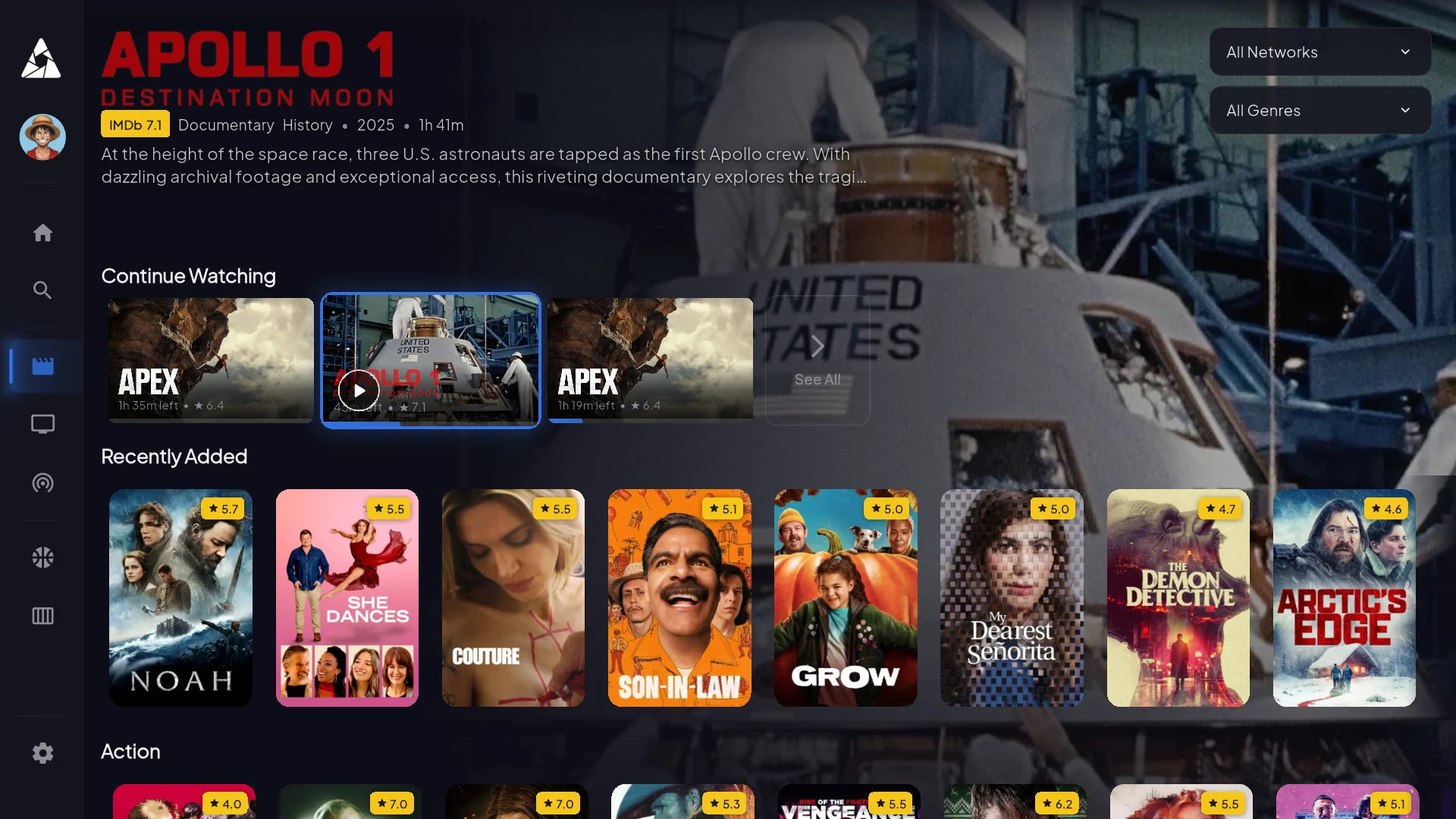
90,000+ on-demand titles

The library is real

Updated weekly. Major studio releases land within a week of theatrical, sometimes the same day. Plus the entire back catalog you’d expect IMDB top 250, every cult classic, full series box-sets.

Plus 89,996 more titles in the VOD library. Search in-app or browse by genre, year, or studio

Networks you recognize

Every major US, UK and EU network

Plus 21,988 more channels including sports, international, 4K feeds, premium movie channels, and regional broadcasters. See the full channel list.

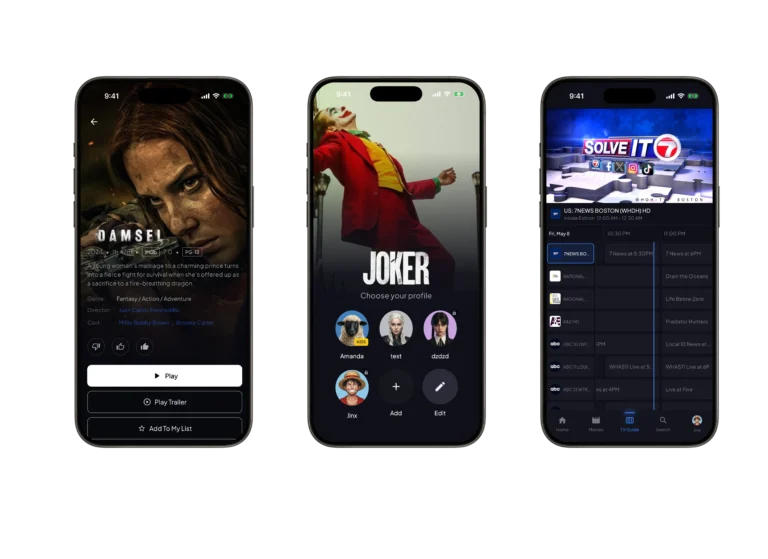
On your phone

Same app, vertical layout

iPhone, iPad, Android — one codebase, same lineup, same login. Picture-in-picture, AirPlay, and Chromecast all supported.

apollo mobile app

Inside the TV app

See it before you buy it

Four screens that cover what most subscribers actually use day-to-day. These are screenshots from the live app — nothing mocked up

VOD detail pages

TMDB metadata, cast, runtime, related films. So you know what you're about to watch.
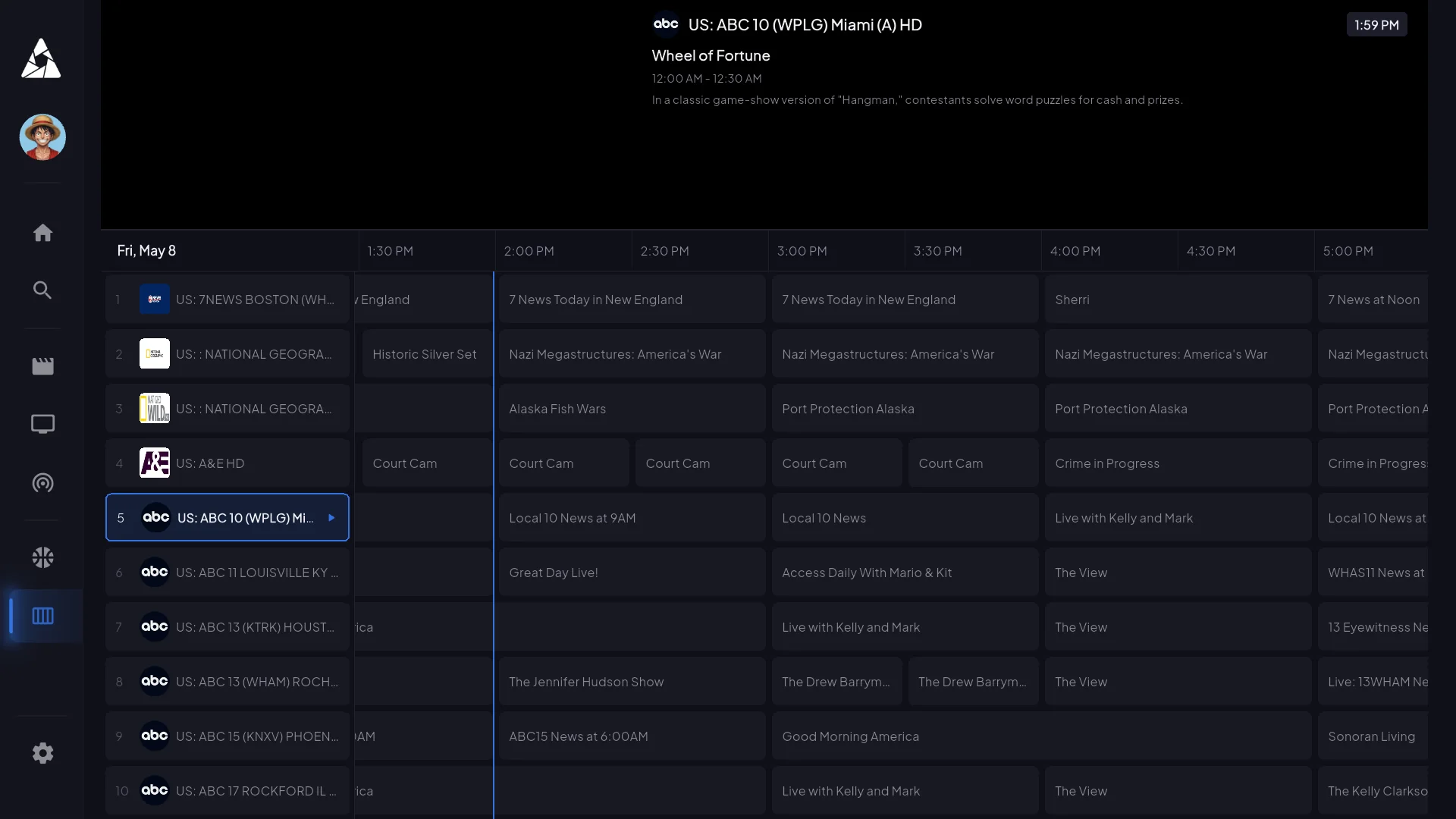
EPG — 7 days of guide data

Filter by category, jump to a specific time slot, set reminders. Loads in 2s on first launch, instant after that.
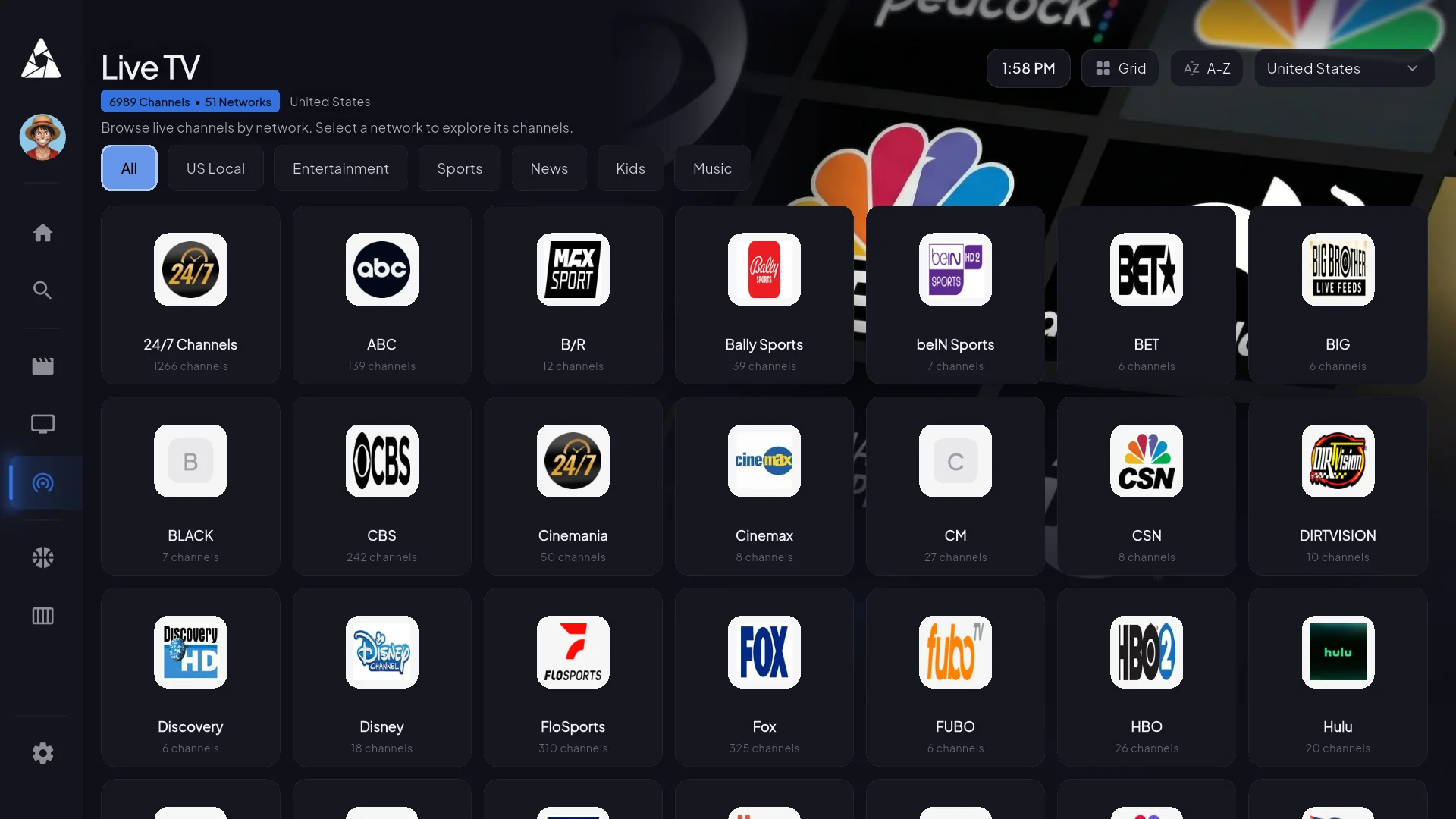
Live channels — 22,000+ feeds

Filter by country, genre, or sport. Scrolls smoothly even at 22k entries — most apps lag here.
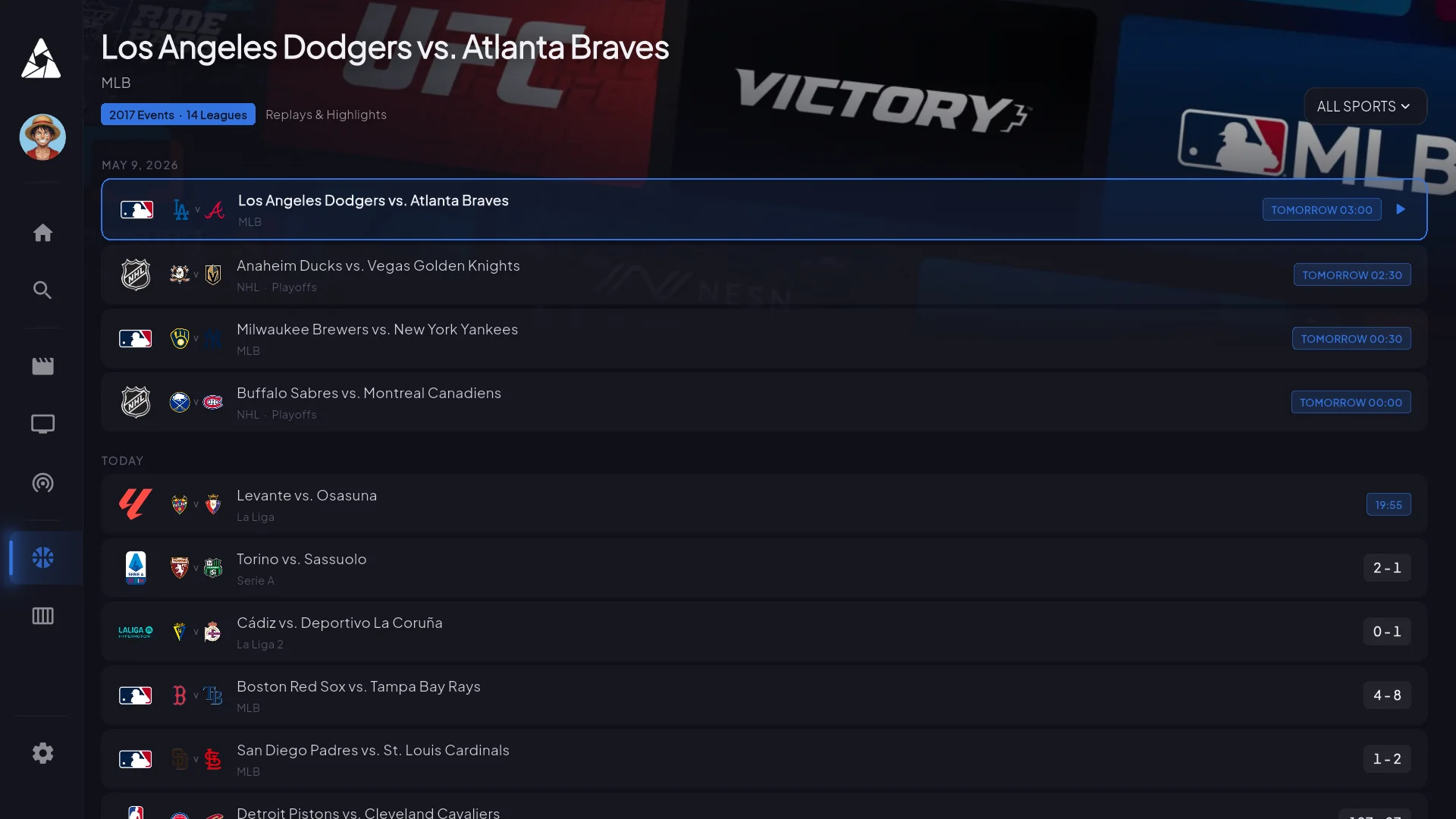
Sports — live first, schedule second

What's on right now, who's playing tonight. Click a match and you land on the channel carrying it — no schedule-guessing.

Install it anywhere

Every device we run on

Nine platforms. A few use sideloading or third-party players because the platform owner won’t allow generic IPTV apps in their store — the install guides walk you through each.

Device you don’t see here? Ask support — we probably support it but didn’t list it.

Requirements

What you need on your end

Honest minimums. The app runs on lower specs but it’ll stutter — don’t buy a $25 Firestick Lite expecting smooth 4K.

Internet

8 Mbps — HD on one device
15 Mbps — 4K streaming
25+ Mbps — 4K + family streaming

Device

2 GB RAM (4 GB for 4K)
Android 8+ / iOS 14+
Fire OS 7+ on Firestick
~150 MB free storage

Codecs

H.264 + H.265 (HEVC)
AAC + AC3 audio
SRT + WebVTT subs
Falls back to H.264 on older Firesticks

Get started

Pick your device, follow the guide

Firestick install / Most common

Downloader code, 5 minutes, every Firestick model.

Android TV install / Smoothest path

Direct APK — no sideloading workarounds.

Roku / Limited setup

Screen mirroring — Roku doesn’t allow sideloading.

App questions

What people ask about the app

For general billing or channel questions, head to the main FAQ. These are the ones specifically about how the app behaves.

The EPG is empty on first launch. Did I break something?

No. The guide downloads in the background the first time you open the app — usually fully populated within 5–10 minutes. Channels still play normally during that window, you just have to know what you want to watch by name. Force-closing and reopening doesn't speed it up.

Does the app cache video for offline playback?

No. It's a live IPTV app — there's nothing to download. The VOD library streams on-demand.

Can the app record live TV?

Catchup TV gives you back the last 3–7 days of programming on most channels. True DVR/PVR is on the roadmap for Android TV — not all platforms will get it because of storage constraints.

Does it support picture-in-picture?

Yes on iOS, iPadOS, and Android (multi-window). Smart TVs and Firestick don't expose a PiP API, so it's not available there.

What internet speed do I actually need?

8 Mbps for stable HD on a single device. 15 Mbps for 4K. 25 Mbps if other people in the house are also streaming. Under 5 Mbps will buffer regardless of plan.

Audio is out of sync. How do I fix it?

Player settings → audio sync, offset by ±200ms. Almost always an HDMI handshake issue, not the stream. If the offset doesn't fix it, try a different audio track.

Can I use a VPN with the app?

Yes — many subscribers do, especially where ISPs throttle streaming. The app doesn't fight VPNs. The one caveat: some broadcasters geo-restrict, so a VPN landing in a country we don't have rights for can hide certain channels.

Try the app

Pick a plan, install on your first device inside 5 minutes, get credentials within 60 seconds. 7-day refund window if it’s not for you.